
For many live events, the success of the show is decided the moment the screen turns on. A festival main stage, a global product launch, a government summit, a trade show booth, or a broadcast-ready corporate conference all depend on the same visual foundation: a large LED video wall that can stay bright, stable, safe, and camera-friendly under pressure.
Behind the image, however, is a complex engineering system. A rental LED wall is not only a display surface. It is a network of LED packages, driver ICs, receiving cards, power supplies, locking cabinets, truss, ballast, processors, control software, cables, and technicians. A small error in voltage, signal routing, camera synchronization, wind loading, or overhead rigging can become visible to thousands of people in the venue and millions more through livestream cameras.
This guide explains how to evaluate LED video wall rental for professional events and stages in 2026. It is written from the perspective of LED display engineering and procurement, so the focus is not only "how large" or "how bright" the screen should be. The real question is whether the rental solution matches the venue, audience distance, camera workflow, weather exposure, safety requirements, and business risk of the event.
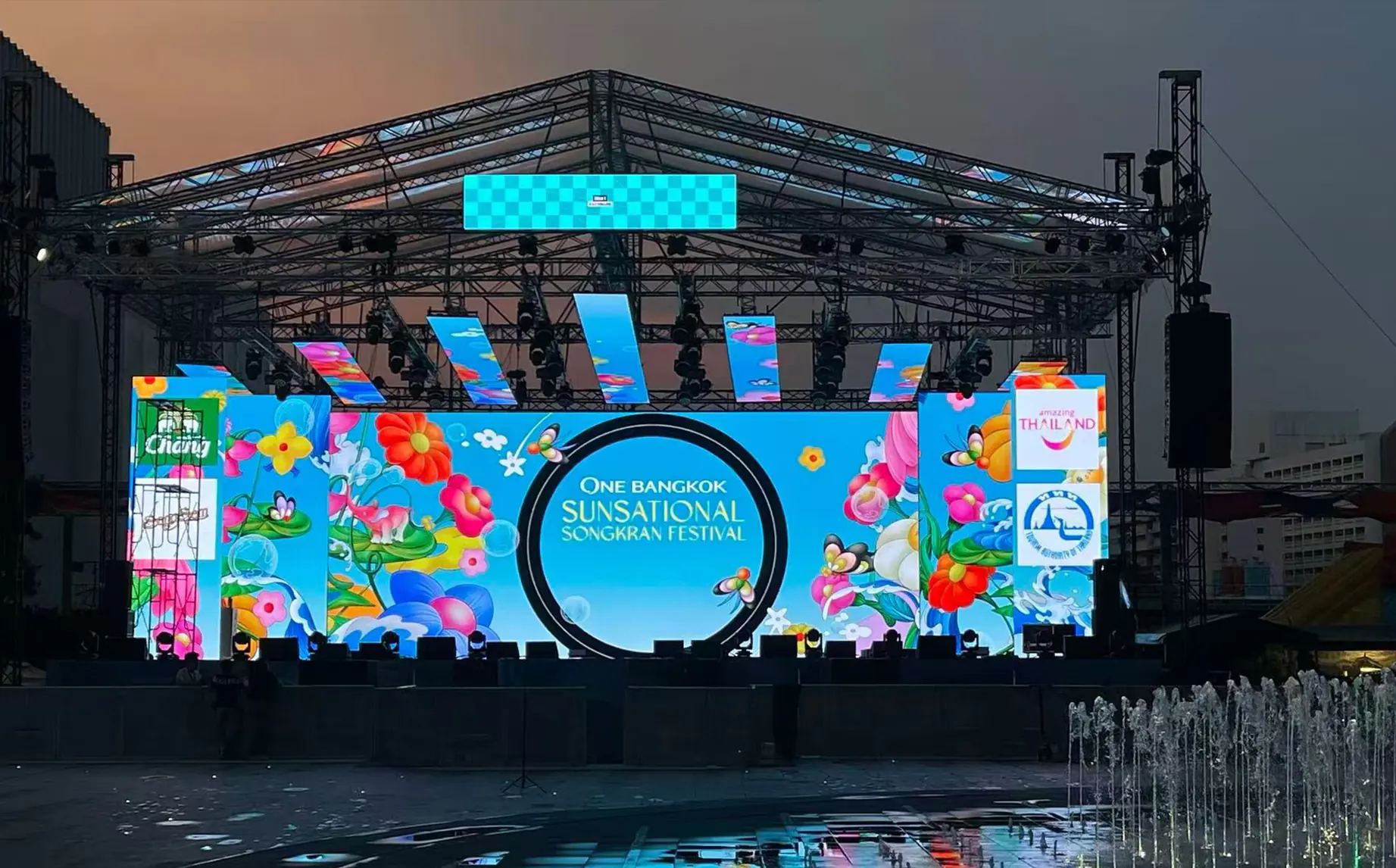
Image description: A large outdoor rental LED video wall installed on a concert or festival stage, showing the scale and visual impact required for long-distance audiences.
Pixel Pitch: Match Resolution to Viewing Distance
Pixel pitch is the physical distance between the centers of two adjacent LED pixels, measured in millimeters. A P2.6 LED screen has a 2.6 mm pixel pitch; a P3.91 screen has a 3.91 mm pixel pitch. Smaller pitch means higher pixel density, sharper close-viewing detail, higher manufacturing cost, and usually higher rental pricing.
The common buyer mistake is assuming that the smallest pixel pitch is always the best choice. In rental applications, overspecifying pitch can waste budget and increase handling risk. Fine-pitch LED modules have denser LED packages and more delicate surfaces, so repeated trucking, loading, unloading, and fast stage builds can increase damage risk if the product is not engineered for rental use.
The better approach is to match pixel pitch to viewing distance, content type, and camera use. Christie notes that pixel pitch affects how close viewers can stand before seeing individual pixels and also changes cost and system design. Planar's guide to direct-view LED viewing distance is also useful background for understanding how pitch, pixel density, and viewing distance interact.
For fast planning, use this event-oriented matrix:
| Event type | Audience behavior | Typical venue scale | Recommended pixel pitch | Engineering logic |
|---|---|---|---|---|
| Broadcast studio, luxury retail booth, close-viewing launch set | Viewers and cameras stay close to the wall | Walk-up spaces or under 100 people | P1.5-P1.95 | Close-up cameras and nearby viewers require fine pixel density to reduce visible pixel structure. COB or premium GOB surfaces may improve contrast and durability. |
| Corporate product launch, indoor summit, hotel ballroom | Seated audience, presentation detail, frequent IMAG | 500-1,500 people | P2.6-P2.9 | Front-row viewers often sit 4 m or more from the screen. This range balances high clarity, rental cost, cabinet weight, and installation speed. |
| Indoor concert, theater show, awards ceremony | Visual impact matters more than close reading | 1,500-3,000 people | P3.91 | Average viewing distance is usually beyond 6 m, so P3.91 can deliver a smooth image while controlling weight, power, and cost. |
| Outdoor festival, sports event, large public gathering | Long viewing distance, daylight, weather exposure | 5,000-50,000 people | P3.91-P5+ | Brightness, IP protection, structural design, high refresh rate, and wind planning matter more than ultra-fine pixel density. |
For a deeper buying framework, see Visual LED's own LED pixel pitch guide, which explains how resolution and viewing distance affect real-world LED display selection.
Indoor vs Outdoor Rental LED Walls
Indoor and outdoor rental LED walls may look similar from the front, but they are engineered for very different conditions.
Indoor events usually prioritize lower pixel pitch, high refresh rate, lightweight cabinets, low-noise power systems, and clean rigging. Brightness may only need to sit around 800-1,200 nits, depending on stage lighting and ambient light. For corporate launches, award shows, trade shows, hotel ballrooms, and livestream sets, a purpose-built indoor rental LED screen is often the right baseline.
Outdoor events add weather, daylight, heat, dust, wind, and longer viewing distances. Outdoor rental LED walls often need 3,500-5,000 nits or more, IP-rated cabinet design, higher structural strength, safer cable routing, and better heat management. For festival stages, outdoor ceremonies, sports events, and temporary public screens, start with an outdoor rental LED screen rather than adapting an indoor product beyond its design envelope.
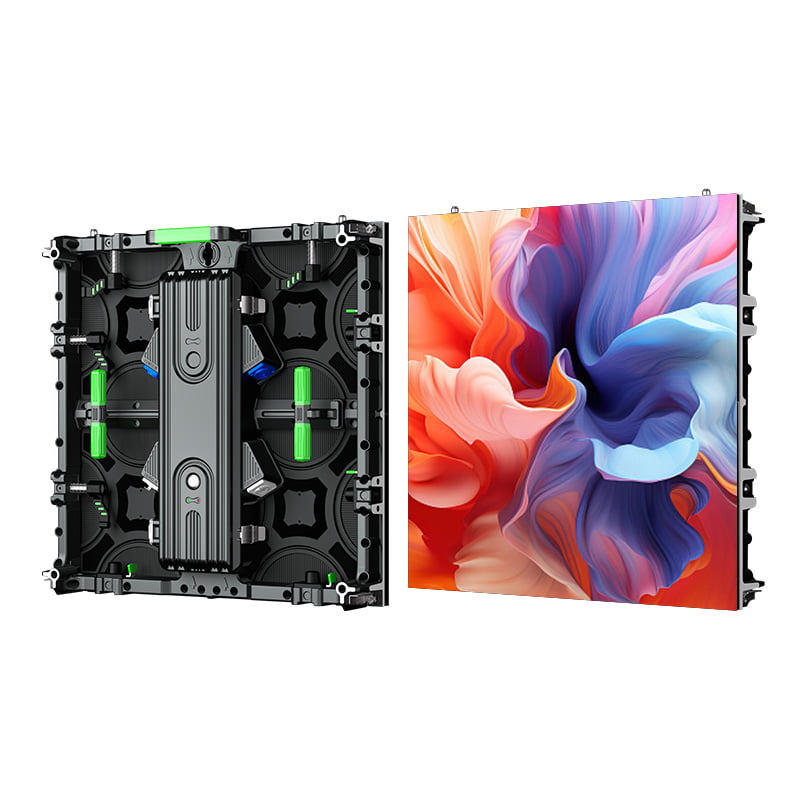
Image description: An indoor rental LED wall used for a stage or conference environment, where close viewing, smooth grayscale, and camera-friendly refresh performance are more important than extreme weather resistance.
Refresh Rate, Genlock, and Camera Performance
A screen that looks perfect to the human eye may fail on camera. In modern events, the audience is not only in the room. Smartphones, broadcast cameras, slow-motion cameras, PTZ cameras, livestream encoders, and social media clips all become part of the visual inspection process.
Refresh rate describes how many times per second the LED display refreshes its image. Human vision may perceive 60 Hz content as smooth, but camera shutters sample light in a much more demanding way. If the LED wall and camera sensor are not synchronized well, the recorded image can show scan lines, flicker, banding, tearing, or rolling artifacts.
For professional rental work, use these levels as a practical checklist:
| Refresh-rate level | Practical use | Risk profile |
|---|---|---|
| 1920 Hz | Basic indoor signage, small events, naked-eye viewing | May show scan lines or flicker with phones and cameras. Not ideal for premium livestreams. |
| 3840 Hz | Mainstream professional events, concerts, conferences, trade shows | A strong baseline for most camera workflows and social media capture. |
| 7680 Hz | Broadcast, XR stages, slow motion, high-shutter-speed camera work | Better for demanding camera conditions, especially when paired with proper control hardware and synchronization. |
High refresh rate alone does not solve every problem. In high-end broadcast or XR workflows, Genlock can synchronize LED controller timing with an external reference signal. NovaStar's MCTRL4K documentation, for example, describes Genlock input for synchronizing output signals with an external Genlock signal. Colorlight also promotes camera-oriented synchronization features such as Shutterlock for matching LED screen refresh behavior to camera shutter requirements.
When requesting quotes, do not accept "camera friendly" as a vague claim. Ask the supplier for the refresh rate, grayscale performance at low brightness, receiving-card model, processor model, and whether the system supports Genlock or equivalent camera synchronization when needed.
Moire: The Hidden Optical Problem in LED Stage Shooting
Moire is an interference pattern that appears when two regular grids overlap. In LED video wall production, one grid is the LED pixel matrix and the other is the camera sensor pattern. When the two spatial frequencies interact, the camera may capture waves, colored bands, or moving patterns that are not visible to the eye.
Moire is not always a hardware defect. It is often a camera, distance, lens, focus, and LED pitch interaction. The solution is usually collaborative:
- Adjust depth of field so the speaker or performer is sharp while the LED wall falls slightly out of focus.
- Keep presenters far enough away from the screen so the camera can separate subject and background.
- Change camera angle by a few degrees or adjust focal length to break the alignment between the sensor grid and LED pixel grid.
- Use a finer pitch LED wall for close studio work, especially when the screen must remain in focus.
- Consider matte-surface COB or GOB panels for higher contrast and lower surface reflection.
- Test the actual camera bodies, lenses, shutter speeds, and content before show day.
For an event that will be filmed, a technical rehearsal is not optional. The LED supplier, video director, camera team, and content team should test motion graphics, white backgrounds, dark scenes, sponsor logos, and presenter positions before the audience arrives.
SMD, GOB, and COB: Packaging Technology for Rental Survival
Rental LED screens live a hard life. They are packed into flight cases, loaded into trucks, carried through venues, assembled under time pressure, exposed to dust or rain, and dismantled after midnight. Packaging technology strongly affects durability, repair cost, and long-term rental ROI.
SMD: Mature, Cost-Effective, and Easy to Repair
SMD, or Surface Mounted Device, is the traditional LED packaging method. Individual LED packages are mounted onto the PCB surface. The strengths are mature supply chains, competitive cost, and relatively easy single-LED repair. A technician can often replace a damaged lamp with hot-air tools.
The weakness is physical exposure. The LED packages sit on the board surface, so impacts, edge knocks, moisture, and handling mistakes can cause broken lamps or dead pixels. SMD still works well for budget-sensitive indoor events, but it is less forgiving in harsh rental logistics.
GOB: A Protective Layer for High-Impact Rental Use
GOB, or Glue-on-Board, adds a transparent protective layer over the SMD LED surface. For rental users, this can be a major upgrade because the surface becomes more resistant to impact, abrasion, moisture, dust, and static.
The tradeoff is maintenance complexity. A damaged area may still be repairable, but the technician must remove and restore the protective layer. This takes more skill and time than basic SMD repair. Even so, for outdoor festivals, high-frequency touring, interactive event areas, and fast-turn rental companies, GOB often lowers total repair frequency enough to justify the premium.
COB: High Contrast and Fine Pitch, but Higher Replacement Cost
COB, or Chip-on-Board, mounts bare LED chips directly onto the board before applying a protective surface. It can achieve very fine pitch, deep black appearance, strong contrast, better heat conduction, and a smoother viewing experience. It is especially attractive for broadcast studios, control rooms, XR stages, luxury retail, and premium indoor events.
The limitation is repair economics. If a COB module fails, field-level microscopic repair is usually not practical. The module may need to be replaced as a unit. For buyers comparing premium rental or ownership options, Visual LED's small pixel pitch indoor COB LED screens are a useful reference for where COB makes sense.
| Evaluation factor | SMD | GOB | COB |
|---|---|---|---|
| Impact resistance | Low to medium | High | High surface protection, but edges still need care |
| Moisture and dust resistance | Lower | Strong | Strong |
| Visual contrast | Good | Very good | Excellent |
| Field repair complexity | Low | Medium to high | High |
| Best rental use case | Budget indoor events | Outdoor festivals, touring, frequent handling | Premium indoor, broadcast, XR, fine-pitch environments |
For a fuller rental-focused checklist beyond pixel pitch, see Visual LED's article on what event companies should check in rental LED panels.
Wind Load and Outdoor Structural Risk
Large outdoor LED video walls behave like sails. A screen that looks stable in calm weather can impose enormous lateral force on its support structure during gusts. This is why outdoor LED wall rental cannot be treated as a simple AV equipment order. It requires structural review.
Every outdoor wall should be evaluated for:
- Local wind history and expected event-day weather.
- Screen area and installation height.
- Cabinet weight and wind resistance.
- Truss, scaffold, ballast, ground anchors, or engineered support frames.
- Emergency wind thresholds for lowering, bracing, or evacuating the structure.
- Whether a licensed structural engineer must approve the setup.
Transparent LED screens also need structural caution. Even with gaps between LED strips, power boxes, frames, and modules still block airflow. A transparent screen may reduce wind pressure compared with a fully closed wall, but it does not make the wind disappear. For creative outdoor stages and facade effects, outdoor transparent LED screens should still be treated as engineered structures, not lightweight decorations.
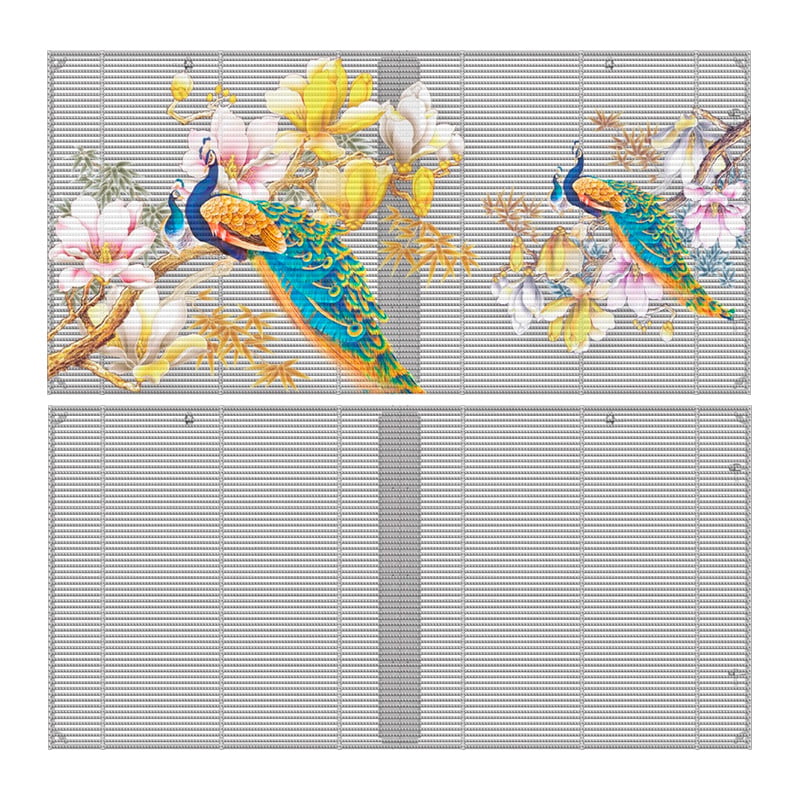
Image description: A transparent outdoor LED video wall used on a building or event structure, showing how see-through LED formats still require proper support and weather planning.
Overhead Rigging: The Hard Safety Boundary
When an LED wall is flown from truss, motors, ceiling points, or stage structures, the project enters overhead-load territory. The weight is often larger than non-specialists expect. LED cabinets, bumper bars, power cables, data cables, processors, truss, motors, shackles, slings, and spare hardware all add to the total suspended load.
In the United States, OSHA's rule on keeping clear of suspended loads emphasizes minimizing employee exposure to hoisted loads. Entertainment rigging guidance also commonly uses strict working load limits and design factors; Actsafe's overhead rigging bulletin discusses higher safety factors and secondary suspension expectations when loads are over people.
For LED video walls, the key rigging questions are:
- What is the total system weight, not just the LED cabinet weight?
- How many certified rigging points are available?
- What is the load per point after accounting for bridle angles?
- Are motors, shackles, slings, truss, and bumper bars rated for the calculated load?
- Are dynamic loads, movement, wind, and installation sequence included in the plan?
- Is the venue's structural documentation available and reviewed?
Bridle angles matter because they multiply tension. A load that looks compliant in a vertical calculation can become unsafe when the rigging geometry changes. Professional rigging drawings and qualified riggers are not premium extras for flown LED walls. They are core risk controls.
Redundancy: Designing Against Single-Point Failure
For government summits, global product launches, broadcast shows, sports events, and high-value brand activations, one black rectangle on the screen can become the image everyone remembers. Redundancy is therefore part of professional event design.
Power Redundancy
Large LED walls consume significant power, especially outdoor walls running at high brightness. The U.S. Department of Energy explains that LED technology is efficient at the diode level, but total system power still depends on scale, brightness, runtime, and electronics. A major stage wall can require serious distribution planning.
At cabinet level, premium systems may use N+1 power redundancy. Instead of relying only on an external UPS, the cabinet can include backup power architecture so a failed power supply does not immediately darken part of the wall. Ask whether the quote includes redundant power supplies, spare units, and an emergency replacement plan.
Signal Redundancy
Signal failures can be just as damaging as power failures. A disconnected cable, failed receiving card, damaged network path, or frozen processor can remove a whole section of the screen.
Professional LED systems may use loop backup topology, dual receiving cards, backup processors, spare sending cards, and preloaded emergency content. In a loop backup layout, signal can reach panels from another direction if one path fails, helping isolate the problem rather than letting it cascade across the wall.
Calibration and Spare Inventory
Different batches of LED modules can vary in brightness and color. Over time, LED aging also creates color drift. Pixel-by-pixel calibration, proper receiving-card configuration, and spare modules from the same batch help maintain a seamless image.
A serious rental quote should include spare modules, spare receiving cards, spare power supplies, cables, tools, and at least one technician who can diagnose the system under show conditions. A low quote that removes spares is not a bargain; it is a transferred risk.
Creative LED Formats for Modern Stage Design
Flat rectangular LED walls are still common, but many events now use LED as a spatial design material. Product launches, concerts, immersive exhibitions, and luxury retail environments often require curved, transparent, floor, or right-angle configurations.
Creative hardware options include:
- Curved rental cabinets for concave, convex, wave, cylindrical, and circular stage shapes.
- Right-angle cabinets for corner-wrapped LED walls and naked-eye 3D stage compositions.
- Flexible LED modules for irregular set pieces, columns, and sculptural surfaces.
- Transparent LED walls for layered lighting design and partial see-through visual effects.
- Interactive LED floor screens for entrances, dance floors, exhibitions, and brand activations.
For curved stage structures, compare indoor flexible rental LED screens and outdoor flexible rental LED screens according to venue, brightness, weather exposure, and viewing distance. For sports venues and sponsor-driven events, a stadium perimeter LED screen may be more appropriate than a standard stage wall because impact protection, viewing angle, refresh rate, and weather resistance are all central to the application.
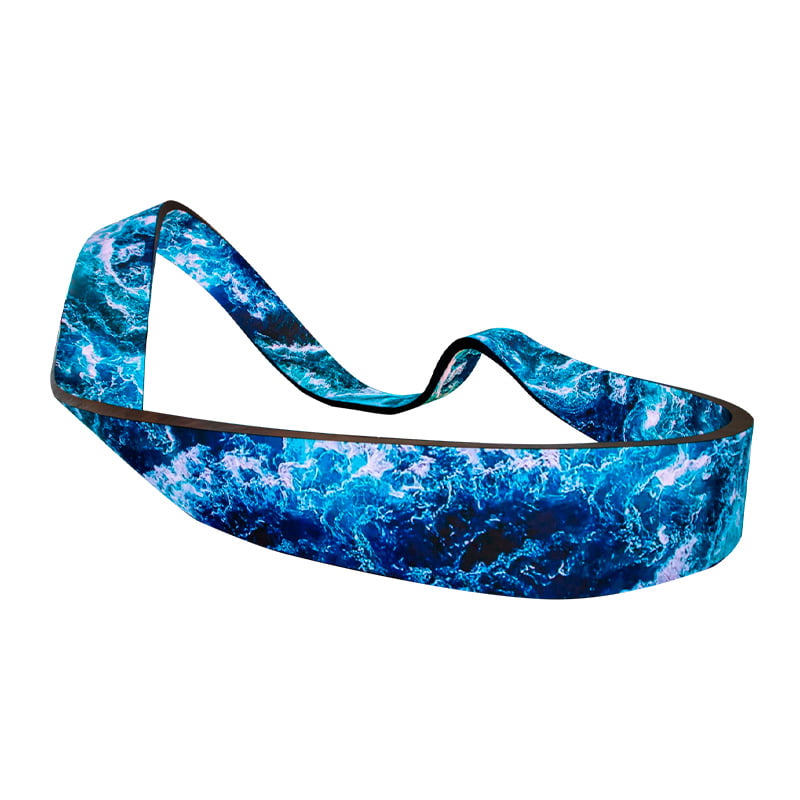
Image description: A curved indoor flexible LED screen installed in a creative event or commercial environment, showing how flexible rental LED formats can support non-flat stage design.
2026 LED Video Wall Rental Cost Planning
Rental pricing varies by region, event scale, labor cost, pixel pitch, logistics, setup time, weather exposure, and redundancy requirements. For a deeper pricing model, read Visual LED's LED screen rental cost guide.
As a practical benchmark, professional LED wall rental in many mature markets is often estimated at roughly USD 40-70 per square foot per day for common event applications, before all project-specific add-ons. Fine-pitch indoor walls, broadcast-ready configurations, complex rigging, outdoor weather protection, and custom shapes can push the total higher.
| Event type | Typical screen size | Recommended configuration | Estimated one-day rental range | Hidden cost risk |
|---|---|---|---|---|
| Small banquet or premium reception | 4 m x 2.5 m | P2.9-P3.91 indoor wall | USD 3,500-7,000 | Decorative framing, venue labor, content support |
| Indoor concert or corporate awards event | 8 m x 4 m | P2.6-P2.9, 3840 Hz+ | USD 8,000-15,000 | Motors, truss, processing, camera testing |
| Global summit or flagship product launch | 24 ft x 13 ft or larger | P2.6, redundancy, camera workflow | USD 12,000-22,000 | N+1 power, loop backup, spare inventory, senior technicians |
| Outdoor festival main stage | 12 m x 6 m | P3.91-P4.81, 5000 nits, IP-rated | USD 15,000-35,000 | Ballast, wind engineering, generators, weather delays |
| Stadium-scale event or touring concert | 15 m x 8 m or larger | P3.91+, creative mapping, heavy rigging | USD 30,000-80,000+ | Trucking, structural approval, media servers, custom cabinets |
The most common hidden costs include:
- Rigging, motors, truss, ballast, and engineering review.
- Weekend, holiday, overtime, or overnight installation labor.
- Generator rental, power distribution, cable ramps, and electrician support.
- Video processors, media servers, content mapping, and show control operators.
- Backup panels, spare modules, receiving cards, power supplies, and emergency technicians.
- Weather standby time, cleaning, insurance, damage liability, and transportation.
Renting vs Buying Rental-Type LED Displays
For one-off events, rental can be the right decision. It provides access to equipment, technicians, logistics, and setup without capital investment. But for event companies, hotels, agencies, touring organizers, exhibition contractors, venues, schools, and brands that use LED walls repeatedly, ownership can become financially stronger.
The breakeven logic is simple:
Annual LED rental spend = hardware rental + logistics + labor + rigging + power + processing + technical supportIf that number approaches the purchase cost of a professional rental-type LED system, buying deserves serious analysis. Ownership can reduce schedule dependency, peak-season price exposure, and long-term rental leakage. It can also let internal teams standardize training, flight cases, spare parts, and content workflows.
The buying decision should still be disciplined. A rental-type LED display must have fast locks, lightweight die-cast cabinets, front or rear service access, flight-case logistics, strong calibration tools, spare parts, and manufacturer support. Visual LED's product catalog and global support page are useful starting points for comparing manufacturer-direct options and after-sales expectations.
Final Checklist Before Signing an LED Wall Rental Contract
Before approving a quote, ask for written answers to these questions:
- What pixel pitch is being supplied, and what is the nearest expected viewing distance?
- What are the brightness, refresh rate, grayscale, and camera-test results?
- Are the cabinets indoor-only, outdoor-rated, GOB-protected, COB, or standard SMD?
- What is the full system weight, including rigging hardware, cables, truss, and accessories?
- Who is responsible for wind load review, ballast, venue approval, and weather thresholds?
- What power distribution is required, and who supplies generators or electricians?
- Is signal redundancy included, or is it an optional upgrade?
- How many spare panels, modules, power supplies, receiving cards, and cables are on site?
- Who operates the processor, media server, calibration, brightness, and emergency troubleshooting?
- What costs are excluded from the quote?
Conclusion
An LED video wall is not just a temporary screen. At a major event, it becomes the visual infrastructure of the entire experience. The best rental solution is not necessarily the smallest pixel pitch or the lowest day rate. It is the system that matches the audience distance, camera workflow, venue structure, weather exposure, installation schedule, and business risk.
For simple indoor events, the right decision may be a cost-effective P2.9 or P3.91 rental wall with a clean setup and basic support. For outdoor festivals, broadcast productions, stadium events, government summits, and major brand launches, the decision must go deeper: high refresh rate, Genlock readiness, GOB or COB durability, wind engineering, overhead rigging discipline, redundant power, loop backup signal routing, and qualified technicians.
The practical next step is to treat the LED wall as a complete engineered system. Compare the screen specification, safety plan, support plan, and total project cost together. Then decide whether your organization should rent for convenience, buy for long-term control, or combine both strategies.
To review real product categories, browse Visual LED's outdoor rental LED displays, indoor rental LED displays, case studies, or contact the team for a project-specific recommendation.
Recommended External References
- Christie: How to choose the right pixel pitch for your LED wall
- Planar: Recommended Viewing Distance and Direct View LED
- OSHA 1926.1425: Keeping clear of the load
- Actsafe: Overhead Load Rigging safety bulletin
- NovaStar MCTRL4K Genlock documentation
- Colorlight receiving card camera synchronization features
- U.S. Department of Energy: LED basics
[…] the rental LED display solutions and the LED video wall rental guide for events and stages for related planning […]