
Buying an outdoor LED display is not a matter of choosing the brightest screen or the smallest pixel pitch. The right system is the one that remains readable in its real environment, supports the way your team produces content, can be serviced without unreasonable downtime, and still makes financial sense after installation.
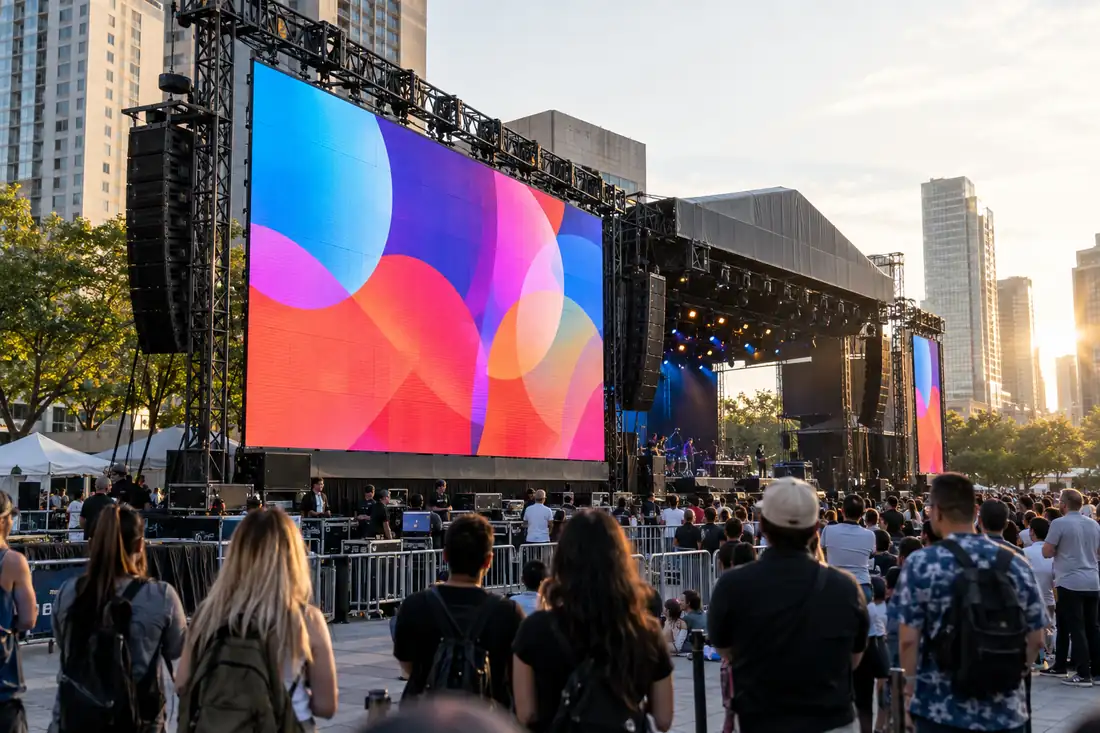
That distinction matters because an outdoor advertising screen, a concert rental wall, a stadium perimeter display, and a municipal information screen may all be described as “outdoor LED,” yet they operate under very different requirements.
As an LED display manufacturer, we recommend starting with the application and working toward the specification—not the other way around. This guide explains the decisions that most affect performance, installation risk, maintenance, and total cost of ownership.
The short answer: what should you specify first?
Before requesting a quotation, define these six inputs:
- Primary use: advertising, event production, retail promotion, public information, sports, hospitality, or education/corporate communication.
- Viewing distance: the closest important viewer, the typical viewer, and the farthest audience zone.
- Operating pattern: permanent daily operation, seasonal campaigns, touring rental, or occasional event use.
- Light and weather conditions: direct sun, night viewing, rain, humidity, salt air, dust, temperature swings, and wind exposure.
- Content and camera requirements: text, brand graphics, live video, IMAG, broadcast cameras, or real-time data.
- Maintenance access: front service, rear service, lift access, spare modules, and local technical support.
Only after these are clear should you compare pixel pitch, brightness, cabinet construction, power consumption, and control systems.
1. Fixed or rental: choose the operating model before the cabinet
The first major decision is whether the screen will stay in one location or move between projects.
Fixed outdoor LED displays
A fixed display is designed for long-term installation on a building façade, roadside structure, retail property, public plaza, media site, or venue. The priorities are structural integration, weather protection, power planning, service access, brightness control, and stable operation over long running hours.
For a permanent billboard or façade, ask for:
- A cabinet and mounting design suitable for the local wind and installation structure
- Clearly stated front and rear protection ratings
- A realistic brightness range, not only a maximum brightness figure
- Automatic brightness control for changing daylight conditions
- A defined maintenance method and access route
- Power and heat-management information at both maximum and typical operation
- Spare parts and warranty terms that match the expected service life
LED Visual’s outdoor fixed LED display range includes high-brightness billboard and façade options, including front-service models for sites where rear access is restricted.
Outdoor rental LED displays
Rental screens are built around speed, repeatability, transport, and event reliability. A rental cabinet should assemble quickly, align consistently, tolerate repeated handling, and provide enough protection for the production environment.
For concerts, festivals, exhibitions, sports activations, and corporate events, evaluate:
- Quick-lock assembly and cabinet alignment
- Cabinet weight and transport dimensions
- Stackable or flown installation options
- Corner protection and replacement-part availability
- Refresh rate and camera performance
- Outdoor protection for the actual event conditions
- Whether the supplier can support your load-in, testing, and show schedule
For event producers, compare the outdoor rental LED screen series with your existing rigging, processing, and transport workflow rather than reviewing the panel in isolation.
2. Pixel pitch: match image density to viewing distance
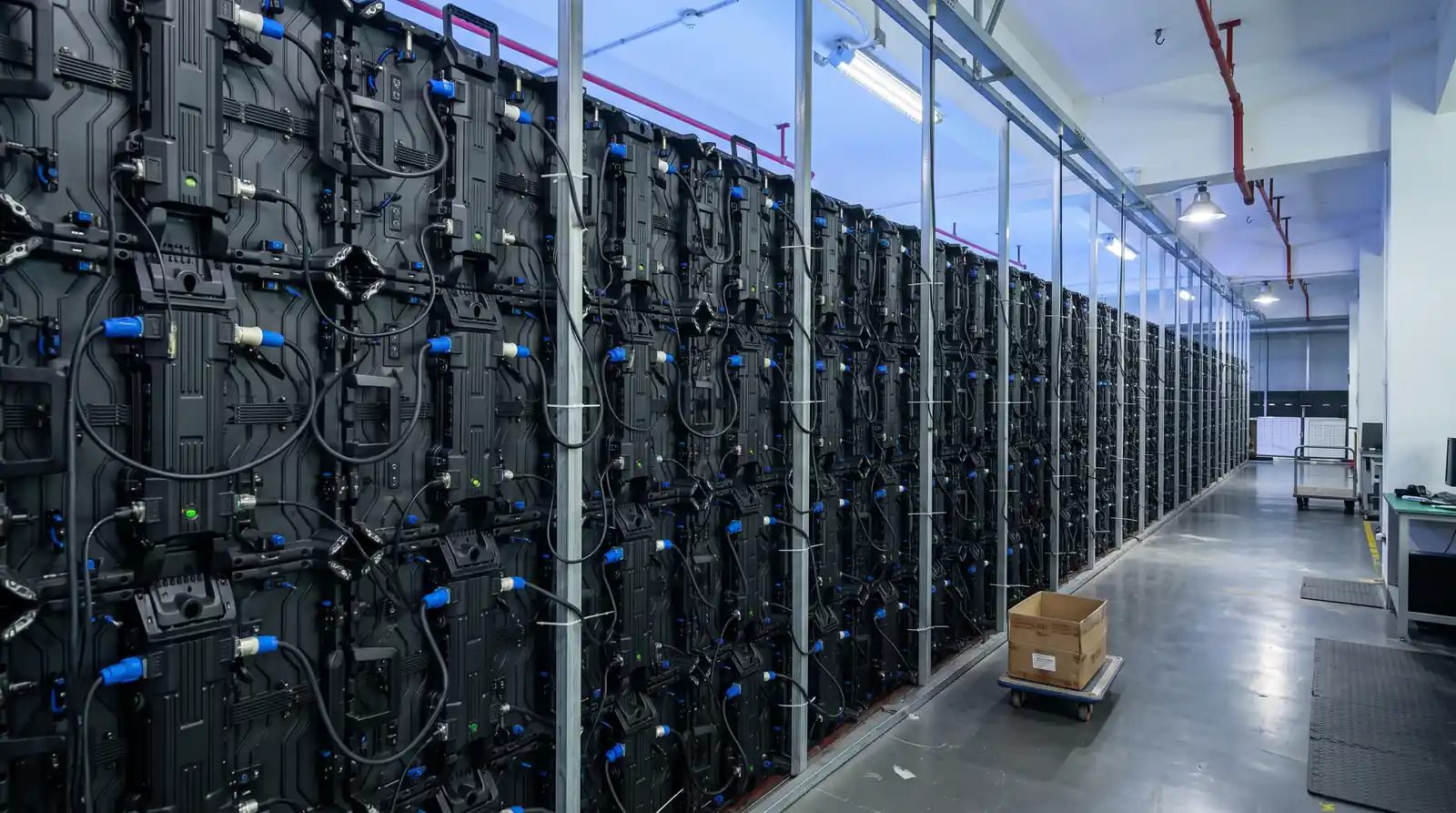
Pixel pitch is the distance between the centers of two adjacent pixels, measured in millimeters. A smaller pitch creates a denser image, but it also increases LED count, processing requirements, and usually the purchase cost per square meter.
The correct question is not “What is the smallest pixel pitch available?” It is “What is the closest distance from which the display must look convincing?”
Use the following as a planning framework, not as a substitute for a site test:
| Application type | Common starting range | What to verify |
|---|---|---|
| Long-distance roadside advertising | P10–P20 | Vehicle speed, sign size, message length, and sightline |
| Large outdoor billboard or façade | P6–P16 | Audience distance, viewing angle, and content detail |
| Retail plaza or public-facing commercial display | P4–P10 | Pedestrian distance and text legibility |
| Outdoor stage or event screen | P3.9–P6.67 | Front-of-house distance, camera shots, and screen role |
| Stadium perimeter or sports display | P6–P10 and application-specific options | Broadcast framing, player visibility, and viewing angle |
LED Visual’s published outdoor fixed options range from fine-pitch configurations to P16, while its energy-saving long-distance outdoor range includes P10, P16, and P20 configurations. The useful choice depends on the site—not on a universal “best” pitch.
If your screen will show small product details, presentation slides, sponsor copy, or close-up live camera feeds, prioritize a pitch appropriate for the nearest audience. If it will show short messages to distant drivers or spectators, a larger pitch may provide adequate impact with lower system complexity.
For a more detailed explanation, link readers to your existing Guide sur le pas de pixel des écrans LED.
3. Brightness: daylight visibility is about control, not just maximum output
Outdoor screens compete with ambient light. Direct sun, reflections from glass, pale façades, and open-sky conditions can reduce perceived contrast even when a screen’s headline brightness figure looks impressive.
Specify brightness based on:
- Whether the display faces the sun directly
- The direction and angle of the screen
- Daytime versus nighttime operating hours
- Nearby reflective surfaces
- Whether the content contains dark backgrounds or fine text
- Local rules concerning glare and nighttime light levels
Do not treat maximum brightness as a target operating setting. A screen that runs at full output all the time may consume more power, create more heat, and look uncomfortable at night. Ask how the display is dimmed, whether brightness can be scheduled or sensor-controlled, and how color performance changes at lower brightness.
For reference, LED Visual publishes outdoor fixed configurations with brightness options from approximately 4,000 to 8,000 cd/m², while some DIP570 and energy-saving outdoor models are specified at 7,000–9,000 cd/m². Those figures describe product capability; the correct setting still has to be determined by the installation environment.
4. Weather protection: understand what an IP rating does—and does not—tell you
An IP rating describes the protection provided by an enclosure against solids and water under defined test conditions. The IEC 60529 standard is the primary reference for the IP Code.
For outdoor LED projects, buyers commonly see IP65 or similar ratings. Read the rating by component and location:
- Is the front protected? Is the rear protected?
- Does the rating apply to the complete cabinet or only a module?
- Are cable connectors, power boxes, service doors, and ventilation paths protected?
- Is the rating backed by test documentation?
- What happens after repeated transport, seal replacement, or field repair?
An IP rating does not replace structural design. The complete installation still needs appropriate drainage, corrosion protection, cable routing, ventilation, grounding, wind-load engineering, and safe access for service.
Climate should influence the design. A humid tropical installation, a dusty roadside billboard, a coastal venue, and a cold-weather public display do not create the same engineering problem. Ask the manufacturer what has been adapted for your destination rather than accepting a generic cabinet recommendation.
5. Refresh rate and camera performance: essential for events and broadcast
If the display will appear in photography, livestreams, broadcast coverage, or event recap videos, viewing quality is only part of the requirement. The screen must also interact well with cameras.
Ask for:
- Refresh-rate specification at the intended operating mode
- Scan mode and driving IC information
- Camera test footage at the shutter speeds used by your production team
- Gray-scale and low-brightness performance
- Color calibration and cabinet-to-cabinet uniformity
- A test with the actual content processor and camera workflow where possible
A product sheet may list a high refresh rate, but that does not automatically guarantee a camera-clean image. The processor, receiving cards, scan mode, brightness level, shutter speed, and calibration all contribute to the result.
For example, LED Visual lists 3,840 Hz on several outdoor fixed and rental configurations, and up to 7,680 Hz on a front-service outdoor range. Treat these as starting specifications to verify in a system test, especially when the screen is part of a televised event.
6. Maintenance access is an operating-cost decision
Maintenance is often discussed after the purchase, when the cabinet layout has already made access difficult. That is too late.
The service method should be selected during design:
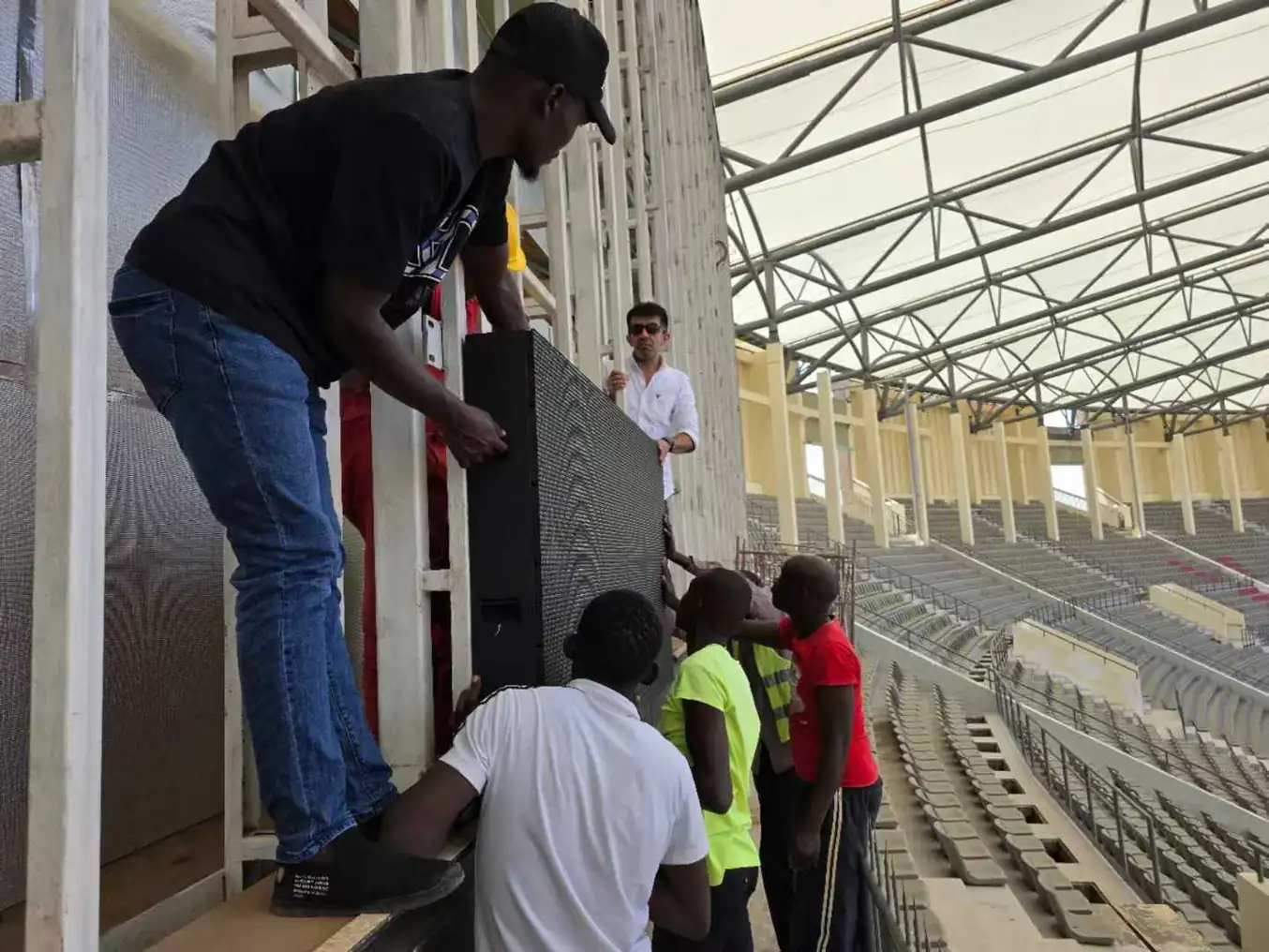
- Service en face is valuable when the screen is mounted directly against a wall or façade and rear access is limited.
- Rear service may simplify access on a freestanding billboard or open steel structure.
- Front and rear service can provide flexibility for larger installations, but it may affect cabinet construction and project cost.
Review the complete maintenance path: who will access the screen, with what tools, at what height, and during which operating hours? Also confirm whether modules, power supplies, receiving cards, and cables can be replaced individually.
LED Visual’s front-service outdoor LED screens are positioned for wall-mounted advertising, façades, retail projects, and public media installations where service space behind the display is limited. Its published project guide specifically recommends confirming front-service depth and access before ordering.
7. Power, heat, and total cost of ownership
The purchase price is only one part of the budget. A proper comparison should include:
- Display and control hardware
- Steelwork, structure, rigging, and installation
- Electrical distribution and protection
- Shipping, customs, and local handling
- Content processing and control software
- Routine inspection and cleaning
- Spare modules and replacement components
- Energy use during typical operation
- Technician travel and downtime risk
- End-of-life removal or upgrade requirements
Compare typical operating power, not only maximum power. A screen that operates for long hours in a high-energy-cost location may justify a higher-efficiency design even if its purchase price is higher.
LED Visual publishes an average power consumption of up to 220 W/m² for one front-service range and up to 130 W/m² for its 1R1G1B energy-saving range. These are product-specific figures, not universal benchmarks. Request the exact model’s test conditions and build a simple lifecycle estimate using your operating hours and local electricity price.
The U.S. Department of Energy’s guidance on purchasing energy-efficient displays also supports a lifecycle-cost approach: compare the additional purchase cost with expected energy savings over the product’s use period.
8. Choose the display around the audience and application
Different buyers should emphasize different risks.
Advertising and media companies
Prioritize message legibility, brightness control, reliability, remote content operation, serviceability, and energy cost. If the screen supports paid media, uptime and predictable maintenance directly affect inventory availability and advertiser confidence.
Review outdoor advertising and DOOH solutions and ask for a specification that includes viewing distance, daily operating hours, brightness schedule, and content-management requirements.
Event, concert, exhibition, and production companies
Prioritize assembly speed, repeatable alignment, transport, weather readiness, refresh rate, camera testing, and spare-part logistics. A technically excellent panel that takes too long to rig can still be the wrong rental product.
For reference, LED Visual’s case-study archive includes a 96 m² outdoor festival stage project in Thailand using IP65 protection, 5,500-nit brightness, 3,840 Hz refresh, and quick-lock framing. Use études de cas as a starting point for the questions you should ask—not as a substitute for your own production test.
Retail brands and commercial property owners
Prioritize pedestrian viewing distance, brand color consistency, façade integration, front maintenance, glare management, and content change frequency. A finer pitch may be justified near a storefront, while a façade visible from a plaza may need a different balance of image density and brightness.
Gouvernement et institutions publiques
Prioritize accessibility, safe brightness levels, service continuity, local permitting, structural review, remote monitoring, and long-term parts support. Include emergency messaging and scheduled content operation in the system brief.
Sports venues
Prioritize viewing angle, impact protection, refresh performance, broadcast compatibility, brightness control, and the geometry of the perimeter or center-hung installation. Consult the stadium perimeter LED screen solution for an application-specific starting point.
Hotels, tourism, entertainment, education, and corporate training
Prioritize operating noise, audience proximity, content flexibility, architectural integration, maintenance access, and the transition between daytime, evening, and event modes. The visual system may need to support branding, wayfinding, presentations, live video, and entertainment rather than one advertising loop.
9. What to request in an outdoor LED quotation
A useful quote should make comparison possible. Request the following in writing:
- Exact product model and pixel pitch
- Cabinet dimensions, weight, and installation orientation
- Brightness range and recommended operating level
- Front and rear IP rating, with supporting documentation
- Refresh rate, scan mode, driving IC, and receiving card
- Maximum and average power consumption
- Operating temperature and humidity range
- Viewing-angle information
- Service method and replacement procedure
- Control system and input formats
- Structural and installation assumptions
- Warranty scope, exclusions, and response process
- Recommended spare-parts package
- Factory testing, calibration, and acceptance procedure
- Delivery schedule and technical documentation
Be cautious when a quote lists only a pixel pitch and a price. Those two numbers cannot tell you whether the screen is suitable for direct sun, live cameras, high wind, restricted access, or long daily operation.
A practical pre-order checklist
Use this checklist before approving a purchase or rental fleet:
| Question | Confirmed? |
|---|---|
| Have we measured the closest and typical viewing distances? | ☐ |
| Is the screen fixed, touring, seasonal, or frequently reconfigured? | ☐ |
| Have we assessed direct sun, rain, humidity, dust, salt, and temperature? | ☐ |
| Is brightness adjustable for both day and night? | ☐ |
| Has the content been tested at the selected pixel pitch? | ☐ |
| Has the display been tested with the cameras and processor we will use? | ☐ |
| Is the IP rating specified for the complete installed system? | ☐ |
| Can technicians reach every service component safely? | ☐ |
| Have typical power use and local electricity costs been estimated? | ☐ |
| Are structure, permits, electrical work, rigging, and logistics included in the budget? | ☐ |
| Are warranty, spare parts, calibration, and response times documented? | ☐ |
| Has the manufacturer shown relevant projects or factory-quality procedures? | ☐ |
Final recommendation: buy a system that fits the job
The strongest outdoor LED display specification is not the one with the most impressive isolated number. It is the one where pixel pitch fits the audience, brightness fits the light, protection fits the climate, refresh performance fits the cameras, service access fits the site, and power consumption fits the operating budget.
That is why an experienced manufacturer should ask about your installation before recommending a model. LED Visual describes its process around in-house production, raw-material traceability, project-specific climate customization, and engineering support across international markets. Those capabilities matter when the screen has to perform outside a showroom and under real operating constraints.
If you are planning an outdoor billboard, event wall, venue display, public information screen, or sports installation, contact LED Visual for a project-specific recommendation. Send the screen size, viewing distance, location, operating schedule, content type, and delivery country. The more complete the brief, the more useful the engineering proposal will be.
Further reading and standards
- IEC 60529: Degrees of protection provided by enclosures (IP Code)
- U.S. Department of Energy: Purchasing Energy-Efficient Displays and Monitors
- LED Visual: Outdoor fixed LED screens
- LED Visual: Outdoor rental LED screens
- LED Visual: Outdoor front-service LED screens
- LED Visual: LED display markets and applications
- LED Visual: Global case studies